
Skip to content
Nauticare

Tasks

A kanban board for the jobs outside planned maintenance

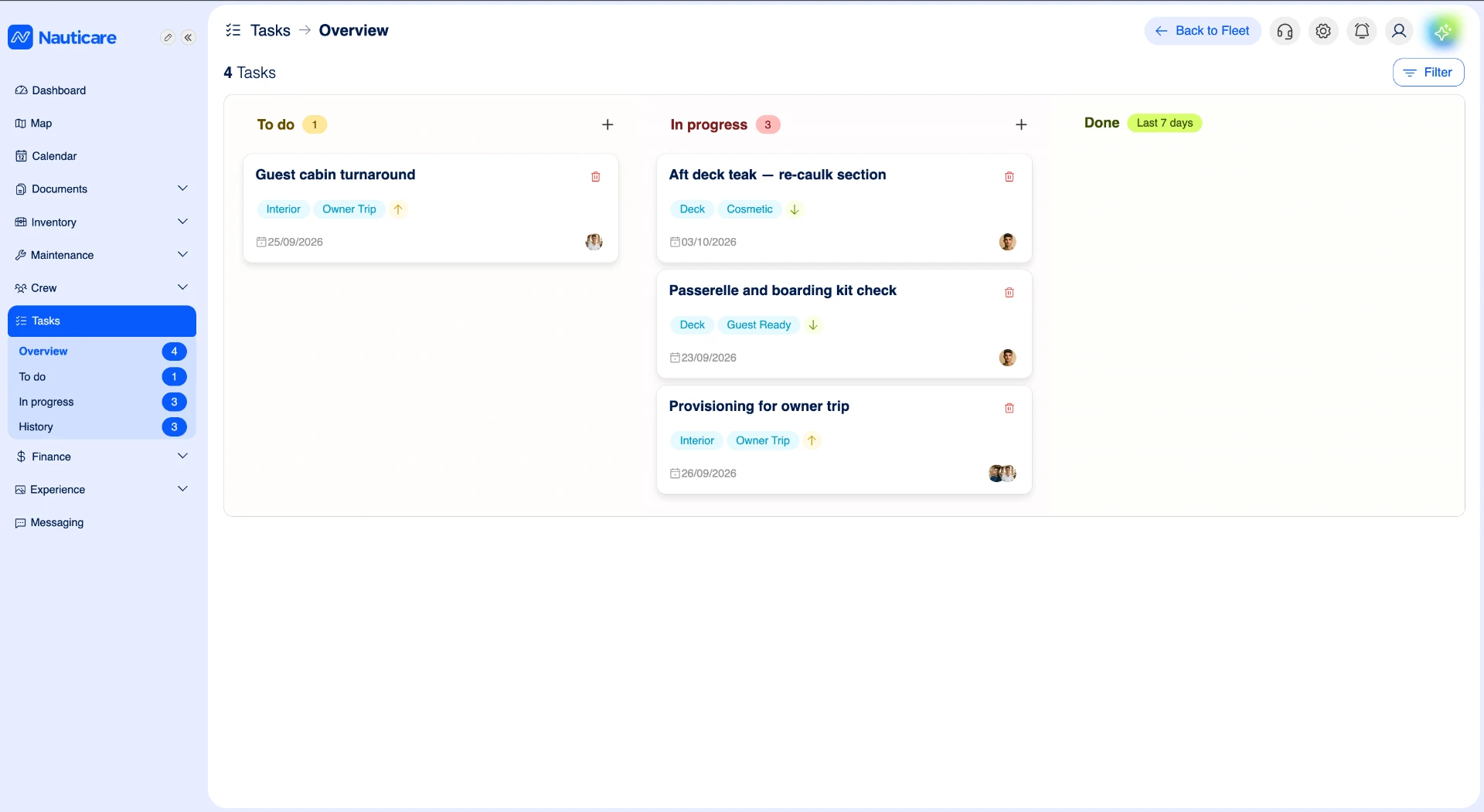
Not every job is planned maintenance. Tasks is a kanban board for the odd jobs and deck tasks that come up every day: log them, assign them, and move them from to do to done. Each crew member can filter the board to see just their own tasks.

Tasks are included in every plan, from Lite.

Nauticare tasks board with to do, in progress and done columns, each task tagged, dated and assigned

What you can do with Tasks

  • Kanban board

    Columns for to do, in progress and done, so the status of every job is clear at a glance.

  • Odd jobs and deck tasks

    Built for the ad-hoc work outside planned maintenance: washdowns, touch-ups, fixes and errands.

  • Assigned and dated

    Every task has an owner, a due date and tags, so nothing falls between departments.

  • My tasks filter

    Each crew member filters the board to see just their own tasks.

  • Shared in chat

    Share a task in a conversation and open it straight from the message.

Keep track of the jobs that aren't planned maintenance

Planned maintenance runs on schedules in maintenance & PMS. Everything else, the odd jobs and deck tasks that come up every day, goes on the Tasks board. Each task has an owner, a due date and tags, and moves across the kanban board from to do to in progress to done.

Everyone sees their own work

Each crew member filters the board to see just their own tasks, while the bosun, the chief stew or the captain see the whole picture. Share a task into a conversation to discuss it, and keep the bigger picture in the calendar.

The old way vs the Nauticare way

  • Old way: Odd jobs passed on by word of mouth, WhatsApp or a whiteboard

    With Nauticare: Every job on one kanban board, logged and assigned

  • Old way: Crew unsure which jobs are theirs

    With Nauticare: A filter that shows each crew member just their own tasks

  • Old way: No idea what is done until someone asks

    With Nauticare: To do, in progress and done, visible to the crew and the office

Plans

Tasks are included in every plan, from Lite.

Compare plans

Tasks: common questions

What is the difference between tasks and planned maintenance?

Planned maintenance covers recurring jobs on equipment, scheduled by date or running hours in the maintenance module. Tasks are for everything else: the odd jobs and deck tasks that come up day to day.

Can each crew member see only their own tasks?

Yes. Everyone with access to Tasks sees the whole board and can filter it by assignee to show just their own tasks. Viewing, editing, completing and deleting tasks are separate permissions, so you decide who can do what.

Can shore management see task status?

Yes. Tasks are visible to the office, alongside the fleet portal and vessel dashboard.

See your own yacht in Nauticare this week

Sign up and explore every module for 7 days with a template yacht and sample data. Prefer a guided tour? Book a 30-minute call.

No credit card. Leave demo mode and choose a plan whenever you’re ready.